FREE SCORECARD · PDF YOU CAN FILL IN
AI Automation Scorecard
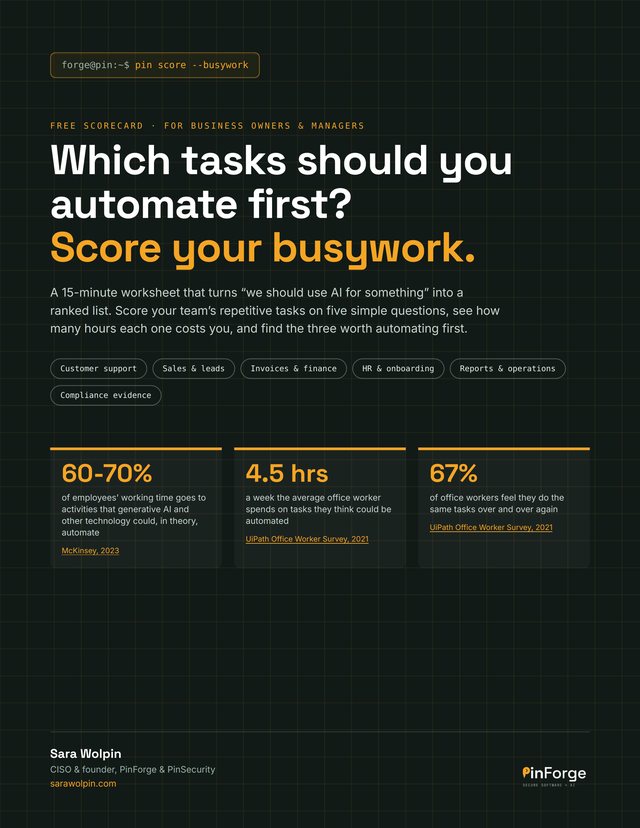
Which tasks should you automate first? Score your busywork in about 15 minutes.
A free worksheet from PinForge that turns “we should use AI for something” into a ranked list. Score your team’s repetitive tasks on five simple questions, see how many hours each one costs you, and find the three worth automating first.
- Customer support
- Sales & leads
- Invoices & finance
- HR & onboarding
- Reports & operations
- Compliance evidence
THE FIVE QUESTIONS
Five questions, scored 1, 3 or 5
The best first automation is rarely the most exciting one. It’s the boring task that happens every day, follows the same steps, and nobody will miss doing by hand. Each task gets a total out of 25.
How often?
Monthly or less scores 1. Daily, or many times a day, scores 5.
How long?
Under 5 minutes scores 1. An hour or more scores 5.
Same steps?
Different every time scores 1. Same steps with clear rules scores 5.
Is the info digital?
Paper, phone calls or in someone’s head scores 1. Already in apps, forms or spreadsheets scores 5.
Safe if slightly wrong?
Anything that moves money or makes promises to customers scores 1. Internal and easy to fix scores 5. This one decides whether a human stays in the loop.
WHAT’S INSIDE
A worksheet you can finish in one sitting
Five pages. Type straight into the PDF, print it, or copy the table into a spreadsheet.
Your scorecard
A table for 8 tasks with two worked examples, from the five scores to the hours each task costs per month.
What your score means
20 to 25: automate now. 14 to 19: automate with a check. 13 or less: not yet.
Common first automations
Ideas for customer support, sales and leads, invoices and finance, HR and onboarding, reports and operations, and compliance evidence.
Five rules before you switch anything on
Company accounts, least access, a human on money and promises, alerts when a run fails, and no sensitive data in tools that train on it.
What your top 3 cost you in a year
Hours per month times cost per hour times 12: the business case in your own figures.
Plus a pointer to the free Build, Buy or No-Code? guide for deciding how to automate your top task.
Get the free scorecardWHO IT’S FOR
Owners and managers with too much busywork
- Your team spends hours on copy-paste, data entry, follow-ups or the same report every week.
- You know AI could help, but not where to start.
- You want a list ranked by hours saved and risk, not by what’s exciting.
- You want automations that are safe for customer data from day one.
FAQ
Questions about the scorecard
What is the AI Automation Scorecard?
A free worksheet that helps you decide which of your team’s repetitive tasks to automate first. You score each task on five questions, add up the hours it costs, and end up with a ranked list and your top three.
How long does it take?
About 15 minutes for 5 to 10 tasks. Ask your team for ideas first: they know where the time goes.
Do I need to know anything about AI?
No. The questions are about the task itself: how often it happens, how long it takes, whether the steps are the same, where the information lives and what a mistake would cost.
What format is it?
A PDF you can type into on screen, or print and fill in by hand. You can also copy the table into a spreadsheet.
What should I do after I score my tasks?
Run your top task through the free Build, Buy or No-Code? guide to see whether a tool you already pay for can do it. If you want help, book a free 10-minute call and send me your top 3.
Is the scorecard free?
Yes. Enter your email, tap the confirmation link we send you, and the PDF downloads. You’ll also get The PinSecurity Briefing, one short email a month with security and AI tips, and you can unsubscribe anytime.