FREE CHECKLIST · 25 CHECKS · PDF
AI-Built App Security Checklist for Vibe-Coded Apps
For apps built with Lovable, Bolt, Cursor, Replit, Claude Code and similar tools.
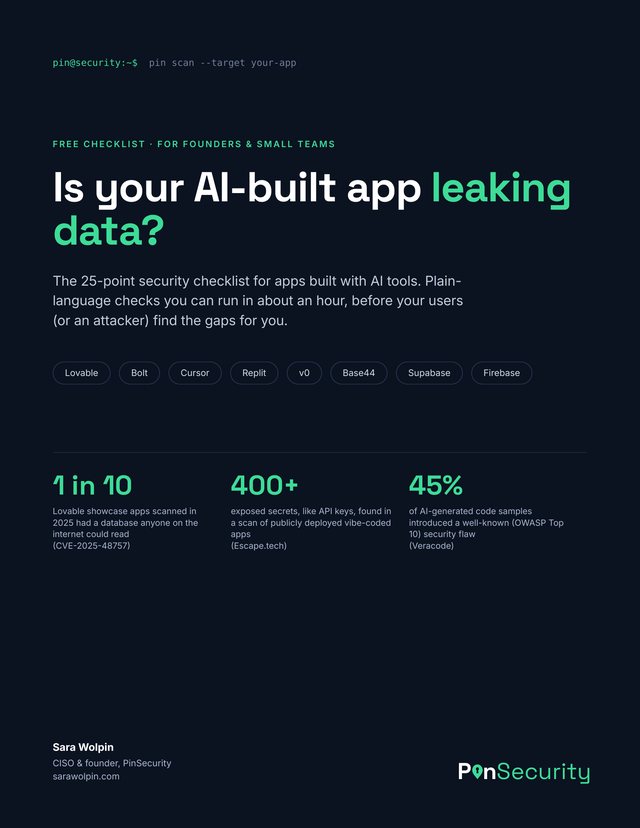
AI coding tools can get an app working in an afternoon. They don’t always lock it down. This free checklist walks you through 25 checks you can run yourself in about an hour, in plain language, before your users (or an attacker) find the gaps.
- Lovable
- Bolt
- Cursor
- Replit
- Claude Code
- v0
- Base44
- Supabase
- Firebase
WHY IT MATTERS
Fast to build, easy to leave open
AI app builders are very good at making things work. They don’t stop to ask who else can see your data. These are the numbers behind the checklist.
Of 1,645 apps in Lovable’s showcase checked in 2025, 170 let anyone read the database without logging in: names, emails, API keys and payment records. CVE-2025-48757
Exposed secrets, like API keys, found in a scan of live vibe-coded apps, along with 175 cases of exposed personal data. Escape.tech
Of AI-generated code samples in Veracode’s tests introduced a well-known (OWASP Top 10) security flaw. Veracode
WHAT’S INSIDE
25 checks in five areas
Each check is a yes or no, with a short reason and where to look. Five are marked critical, because those are the mistakes that expose your users’ data.
A. Your database
Who can read and change your data. Row Level Security, access rules, file storage and backups.
B. Keys and secrets
The passwords your app uses to talk to other services, and where they end up.
C. Logins and accounts
Whether users can only see their own stuff, and whether admin pages are really locked.
D. AI features, forms and payments
Abuse, surprise bills and prompt tricks.
E. Launch basics
The settings that turn a prototype into a product.
A few of the checks
- Row Level Security is on for every table. With it off, the public key in your app opens the whole database to anyone.
- No secret keys in the code that runs in the browser. Anything in front-end code can be read by any visitor, including variables that start with VITE_ or NEXT_PUBLIC_.
- Changing an ID in the address bar doesn’t show someone else’s data. If /orders/123 works, /orders/124 shouldn’t.
- Spending caps are set on every paid AI API. A bot hammering your chat feature can run up a big bill overnight.
- Prices and payment results are checked on the server. Confirm payments with your payment provider’s webhooks, not a “success” page.
Plus a simple scoring guide, and a prompt you can paste into Lovable, Bolt, Cursor, Replit or Claude Code to have your AI tool check its own work.
Get the free checklistWHO IT’S FOR
Founders and small teams building with AI
- You built your app with Lovable, Bolt, Cursor, Replit, Claude Code, v0 or Base44, with Supabase or Firebase behind it.
- You’re about to launch, raise money, or sign your first bigger customer.
- You hired someone to build it with AI and want to know what to ask them.
- You’re not a security person, and you’d like a plain list instead of a 90-page standard.
FAQ
Questions about the checklist
Is the checklist free?
Yes. Enter your email, tap the confirmation link we send you, and the PDF downloads. You’ll also get The PinSecurity Briefing, one short email a month with security and AI tips, and you can unsubscribe anytime.
Do I need to be technical to use it?
No. Each check says what to look for and where to find it, usually in your app builder or your database dashboard. If a check is over your head, the last page has a prompt you can paste into your AI tool so it can review its own work.
Which tools does it cover?
It’s written for apps built with Lovable, Bolt, Cursor, Replit, Claude Code, v0 and Base44, with a Supabase or Firebase database behind them. Most of the checks apply to any web app.
What’s the most common security problem in AI-built apps?
Database access rules. In Supabase that means Row Level Security (RLS). If it’s off, or a rule lets everyone through, the public key inside your app can read the whole database. That’s check A1 in the list, and it’s the first thing to fix.
How long does it take?
About an hour for most apps. You’ll need access to your app builder and your database dashboard, a second test account, and a private browser window.
If I pass every check, is my app secure?
Not necessarily. The checklist covers the mistakes that show up most often, not every risk. Before a launch, a funding round or a first big customer, it’s worth having a person review the app.